

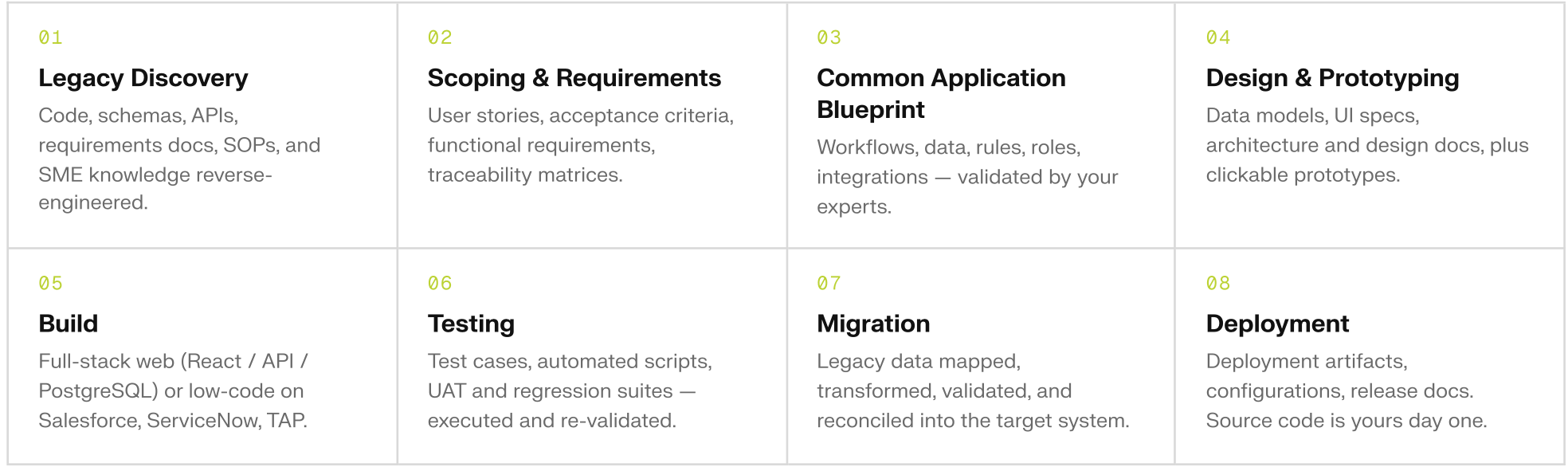
An Enterprise Approach
Modernization is slow because it is blind. Decades of accumulated code, requirements buried in documents nobody has opened in years, documentation that was never finished, and risk no one can quantify. Teams are forced to move without confidence. The current generation of AI tools does not fix that. Generating code is no longer the hard part; everyone can do that now. Coding assistants stop at the code. Specification tools stop at the plan. Somebody still has to reconcile the two, test the result, and stand behind it. Veylo’s approach is the opposite of vibe coding.Prompting your way to something “good enough” may be fine for prototypes, but it is not good enough for the systems an organization actually depends on. Producing software an organization can sign off on, maintain, and securely deploy is a different discipline, and that is what this platform is built for. This approach can be summarized by several core concepts:
The Blueprint is not documentation about the system. It is what the new system is generated from. The same corrected Blueprint drives every target, full-code or low-code, so the workflows, rules, and acceptance criteria agreed once are the ones that reach the build.
These principles fit together. The acceptance criteria that get tested are the ones written into the User Stories within the CAB which produce the requirements that generated the Ticket, in the Epic that set its place in the Build. Nothing in that chain is added afterwards to make the work look organized.
See Compliance & Evidence for what the platform records as that chain runs.
Modernizing What Already Exists
Veylo is a modernization platform first. A project can start from a blank requirement, but the case it is built for is the system that already runs the business and cannot simply be switched off: the application whose original authors have moved on, whose documentation was never finished, and whose real behavior now lives only in the code. The platform reads that codebase alongside whatever written material survives, and reverse-engineers the specification from both. The modernized system is then built from what the code actually does rather than from what anyone remembers it doing, and the places where those two disagree become explicit questions instead of silent assumptions. That is the position most regulated enterprises, government agencies, and the system integrators who serve them are actually in.What You Can Build
Full-code web applications, built from the ground-up and end to end: front end, database, and a URL you can hand to a colleague. Low-code applications on Tyler Application Platform, ServiceNow, PowerApps, and Salesforce, where the platform performs configuration and building directly onto those platforms.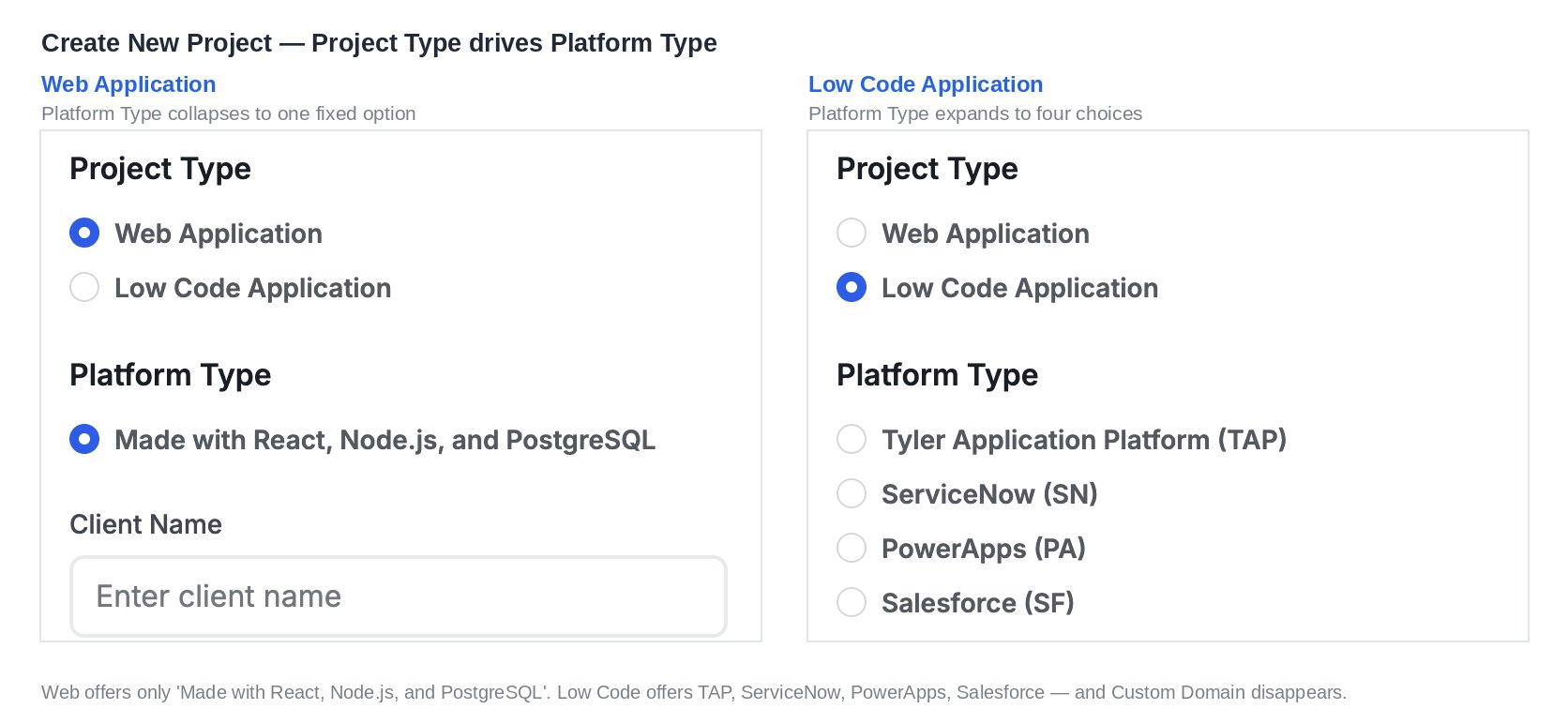
How a Project Runs
- Create your Project. Choose your technology platform and prepare your materials
- Upload what you have. Source code, database schemas, APIs and integrations, contractual requirements, process flows, SOPs, and training material. Whatever your organization knows about the system, in whatever form it survived. Then Generate a CAB. The platform reads your material and writes the specification, including a list of what your source material left undecided. (Optionally create mock ups in Prototype mode to aid your design discussions)
- Refine and Clarify your requirements. Edit your CAB using the platform’s tools to guide you to clear requirements.
- Generate Tickets. The corrected specification becomes units of work, grouped into Epics that set the build order.
- Build your Application. Guided by your expertise; Veylo’s builder will leverage Epics, Tickets, supplementary materials, and manual direction to iteratively build your application
- Test and Deploy. As it is being built the platform tests the development of your application against the previously defined acceptance criteria. Testing is where modernization projects usually stall, because it is the part no code generator does for you. Here it runs as part of the build rather than after it. The end result is a full stack application ready for review, refinement, and acceptance testing.
Where to Go Next
Run the whole thing once
Source material to deployed application, in one pass.
Find your way around
The dashboard, the workspaces, and the four modes.
Start with requirements
What a CAB is and how the platform generates one.
Build a web application
Prototype Mode, Build Mode, and what the agent does.
Build on a low-code platform
TAP, ServiceNow, PowerApps, and Salesforce.
Work with other people
Roles, invitations, and sharing.